RMH is not simply a layer on top of a generative AI model.
We’ve spent months building our material data, computer vision (CV), and visualization pipelines—and a technology stack designed specifically for building materials.
Our architecture combines deterministic CV, AI enhancement, semantic evaluation, workflow orchestration, and Human-in-the-Loop review to deliver accurate, photorealistic visualization that looks like the material is already installed on the surface.
We apply this across two stages: our Visualization Preparation (Viz Prep) Pipeline and our Render Pipeline.
Visualization Preparation: build an accurate surface foundation
Starting from a photo or CAD view, Viz Prep detects flooring, counter, and wall surfaces using CV segmentation models such as SAM to generate a base surface mask.
An AI-assisted mask improvement stage follows for occlusion subtraction—detecting and masking objects, fixtures, and clutter that sit in front of the target surface.
A GPT-6 Astra-powered semantic judge then analyzes the resulting masks and produces a structured quality report, routing surfaces to Human-in-the-Loop review when needed. An intuitive review experience lets the user quickly accept, reject, or correct a mask.
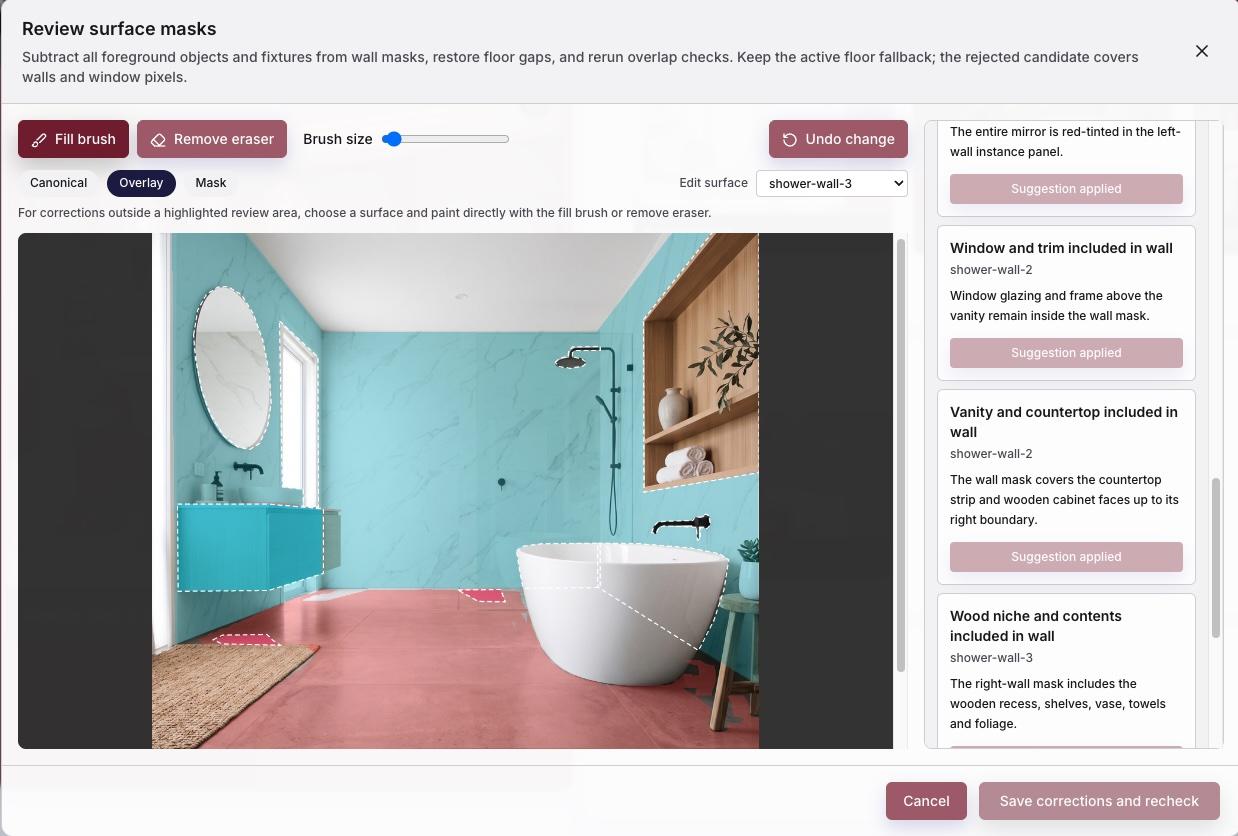
The Viz Prep workflow typically completes in under two minutes from upload to “Ready for Visualization” or “Needs Review,” with most of the work happening in the background while the user continues elsewhere in the platform.
Rendering: explore quickly, then enhance precisely
The Render Pipeline is a graph-orchestrated workflow built around incremental rendering and caching.
Because our catalogs can contain thousands of materials, fast deterministic CV visualization gives users a practical way to preview materials across multiple design surfaces and narrow down selections.
AI enhancement then runs in parallel across each unique material, with surface-specific instructions requiring the vision-language model to act strictly as an enhancement and photorealism stage. A final CV composition step blends the enhanced outputs into the completed render.
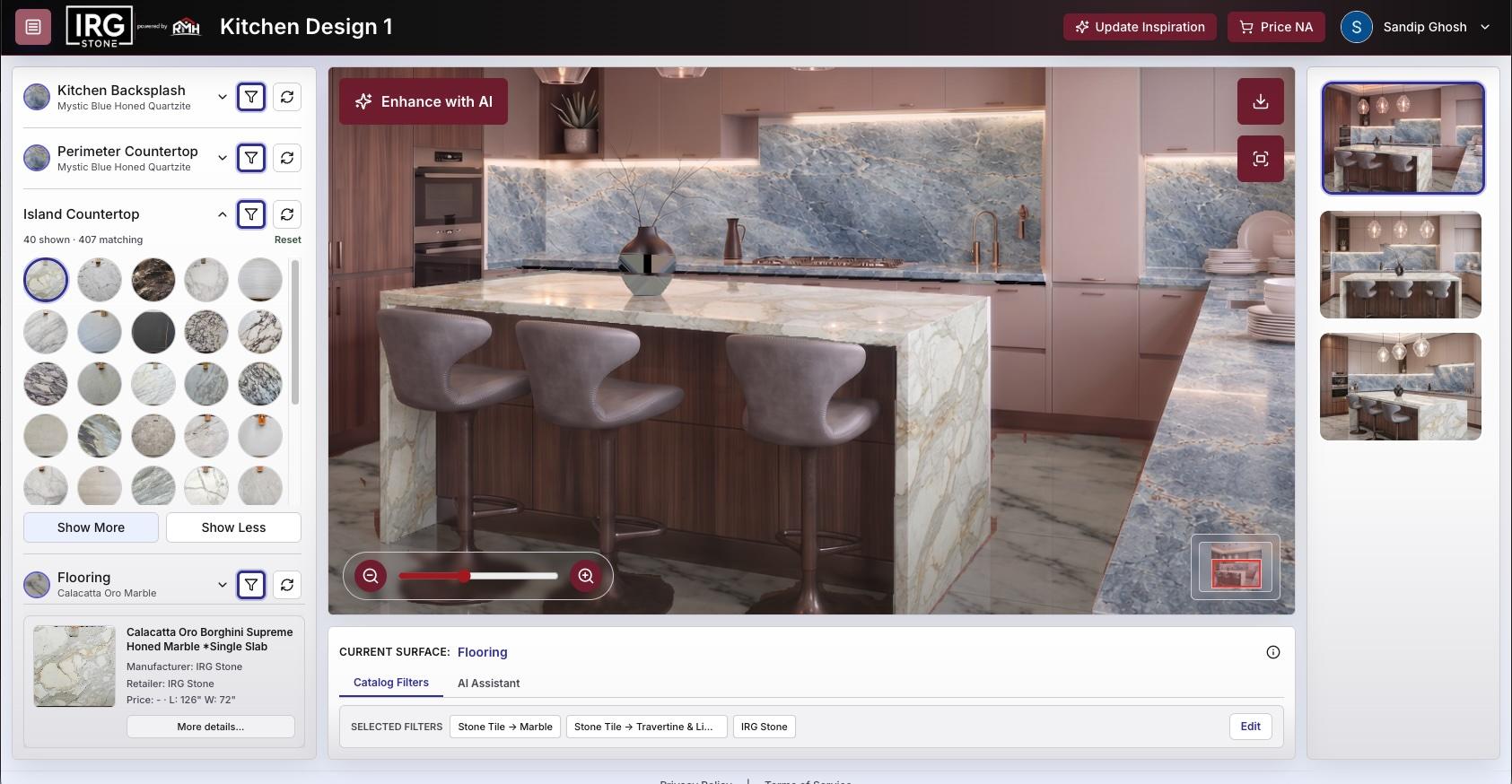
The quality of the Viz Prep masks, combined with deterministic adherence to scale, perspective, and geometry in the CV render, is what keeps the AI from reinventing the scene.
Its job is much narrower: make it look like the selected material is already installed on the surface.
A model-flexible architecture
Our vision-language model layer is built to evolve—allowing us to evaluate and integrate new vision and image-generation models as they advance, without being dependent on any single model. We’ve tested a range of image-to-image models, from open-source models available through fal.ai to frontier models from OpenAI and Google Gemini.
For example, we integrated GPT Image 2.5 Flare on the day it was released and were immediately able to take advantage of its lower latency.
Current render benchmarks
- CV visualization: about 5 seconds per surface
- Gemini 3.1 Flash parallel AI Enhancement + CV Composition: about 15 seconds
- GPT Image 2.5 Flare parallel AI Enhancement + CV Composition: about 25 seconds
This architecture lets us visualize materials across multiple views of a remodel with a high degree of accuracy, determinism, and photorealism—while giving users thousands of real material options to explore.
Explore the technology behind RMH or start a conversation with our team.
This perspective was also shared in our technical visualization post on LinkedIn.